


How Many Megapixels Do Wildlife Photographers Really Need?

Updated: Aug 1

Megapixels are one of the easiest camera specifications to compare and one of the easiest to overvalue. More resolution can be useful in wildlife photography, particularly when a subject is small in the frame or an image may eventually become a large print. But the number on the camera body tells only part of the story.
The more practical question is not, “How many megapixels does my camera have?” It is, “How many usable megapixels remain after I have cropped and prepared the image for its final purpose?”
For many photographers, 20 to 30 megapixels is enough for nearly every common use. Higher-resolution cameras provide additional flexibility, but they do not automatically produce a sharper or more detailed wildlife photograph.
Megapixels Are Only the Starting Point
One megapixel represents approximately one million pixels. A 24-megapixel camera therefore records roughly 24 million pixels across the entire image—but the final photograph may use only a portion of them.
If a bird occupies a small part of the frame and the surrounding area is cropped away, the finished image may contain 12, 8, or even fewer megapixels. That remaining resolution, rather than the camera’s original specification, determines how large the photograph can be displayed or printed without enlargement.
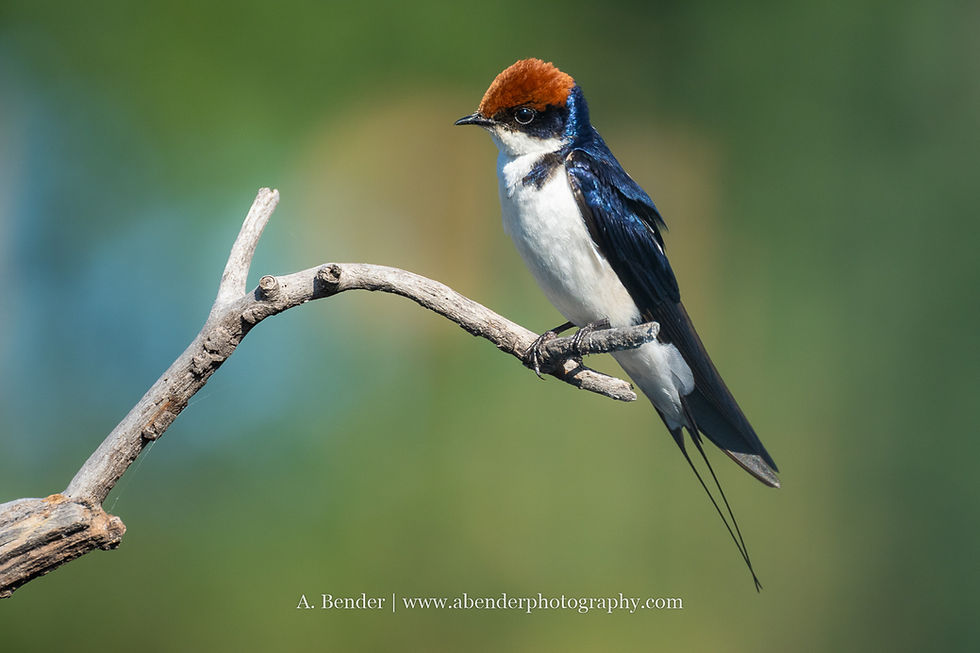
This is where higher-resolution bodies can be helpful. My Sony Alpha 1 records approximately 50.1 megapixels, giving me considerable room to refine a composition after the fact. If I use its APS-C crop mode, however, the resulting file is approximately 21 megapixels. That is still enough for many professional uses, but it illustrates how quickly the headline number changes once only part of the sensor is used.
How Many Megapixels Do You Need for Social Media?
Social media requires far less resolution than most modern cameras produce. An image with roughly 2 to 4 megapixels is generally more than sufficient for Instagram, Facebook, and similar platforms. In many cases, the platform will resize and compress a larger file anyway.
The same is true for photographs used in newsletters, online galleries, and digital articles. A file measuring 2,000 to 3,000 pixels on its longest side will handle most web uses comfortably, depending on the website’s design.
This means a heavily cropped wildlife photograph may still look excellent online even when it no longer contains enough resolution for a large print. Screen presentation can hide limitations that become much more apparent on paper.
Websites and Digital Publications

Most website images need approximately 2 to 6 megapixels. Even a full-screen image viewed on a 4K display contains only about 8.3 megapixels.
For photographers maintaining portfolios or supplying images for digital articles, extreme file size can become more of a burden than a benefit. Large files may slow page loading without creating a visible improvement for the reader.
For web use, strong detail, accurate focus, thoughtful sharpening, and clean export settings matter more than delivering the camera’s full resolution.
Magazines, Books, and Calendars

Print publications generally require more resolution because the photograph is reproduced at a specific physical size. A common target for high-quality close-viewed printing is 300 pixels per inch, although commercial requirements may range from approximately 150 to 300 ppi depending on the press and publication. The publisher’s submission guidelines should always take priority. Adobe recommends confirming resolution with the prepress provider.
As a practical guide:
Final use | Comfortable working range |
Small magazine placement | 4–8 MP |
Full magazine page | 8–12 MP |
Two-page spread | 16–24 MP |
Book or calendar page | 12–20 MP |
Cover or flexible editorial submission | 20–30+ MP |
These are working ranges rather than hard limits. The publication’s dimensions, bleed requirements, aspect ratio, gutter placement, and printing method can all change what is needed.
Editors also value compositional flexibility. An image may need to accommodate a headline, fit a vertical cover, or stretch across a horizontal spread. Supplying additional pixels and some open space around the animal gives a designer more room to work.
How Many Megapixels Do You Need for Prints?
At 300 ppi, common print sizes require approximately:
Print size | Approximate resolution needed |
5 × 7 inches | 3.2 MP |
8 × 10 inches | 7.2 MP |
11 × 14 inches | 13.9 MP |
12 × 18 inches | 19.4 MP |
16 × 24 inches | 34.6 MP |
20 × 30 inches | 54 MP |
24 × 36 inches | 77.8 MP |
Those numbers can make large prints sound impossible without a very high-resolution camera, but 300 ppi is not required for every print. It is most valuable for smaller photographs that will be examined closely. Large wall prints are normally viewed from farther away and can often reproduce beautifully at 180 to 240 ppi—or sometimes lower, depending on the image and printing process. Adobe likewise notes that lower resolutions can work well for large-format prints viewed from a distance.
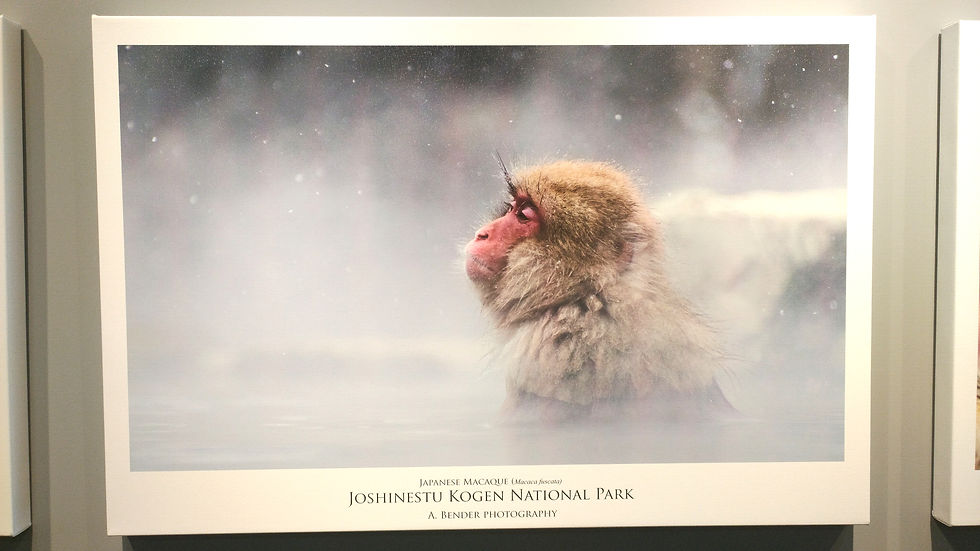
The printing surface matters as well. Glossy and metallic surfaces tend to reveal fine detail readily, while canvas, textured papers, and some matte surfaces can be more forgiving. A detailed feather portrait invites close inspection; an environmental wildlife image displayed above a sofa may be experienced primarily from across the room.
More Megapixels Create Options, Not Detail
Higher resolution provides room to crop, change aspect ratios, prepare multiple layouts, and create larger prints. What it cannot do is recover detail the camera never recorded.
A 50-megapixel image softened by subject movement, missed focus, heat shimmer, atmospheric haze, or poor technique will not contain more useful detail than a clean 24-megapixel file. It will simply contain more pixels describing the softness.
I would rather begin with a sharp, well-timed frame from a moderate-resolution body than rely on a high-megapixel camera to rescue a distant subject. Resolution is most valuable when the lens, light, focus, shutter speed, field technique, and atmospheric conditions allow those pixels to record meaningful information.
So, How Many Megapixels Are Enough?
For most wildlife photographers:
20 to 24 megapixels is enough for social media, websites, editorial use, books, calendars, and small to moderately large prints.
30 to 45 megapixels provides more room for cropping, changing layouts, and producing larger prints.
50 megapixels or more is especially useful for small subjects, substantial cropping, highly detailed wall prints, and photographers who routinely supply files for varied professional uses.
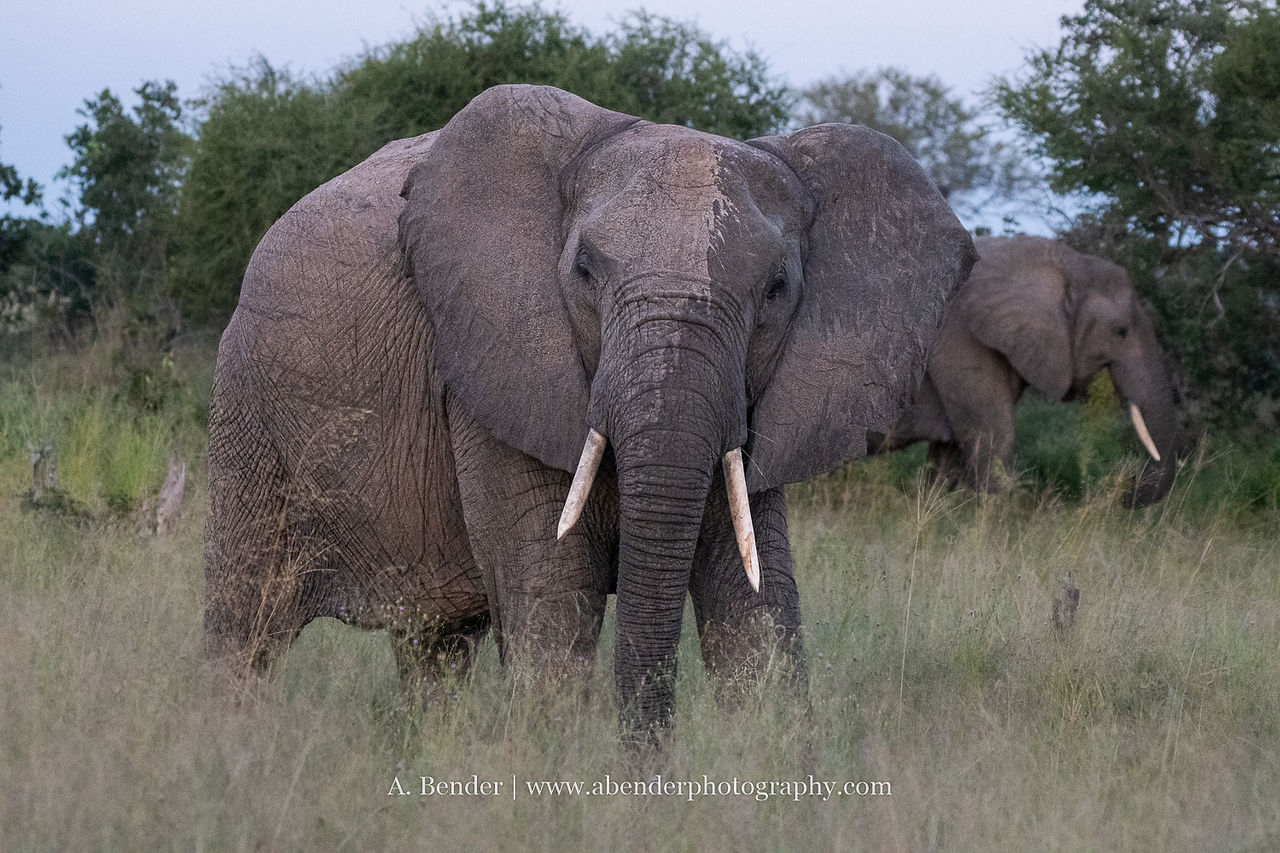

Both of these were taken with the Sony A1 and Tamron 25-200mm lens. One was taken on full frame at the full 50 megapixels and the other in crop mode for 21 megapixels. Does it make a difference?
The best number is not necessarily the largest one. It is the resolution that supports the photographer’s actual output while leaving enough room for the way wildlife images are realistically captured and cropped.
Before upgrading a camera for more megapixels, look at your finished files. How much do you usually crop? Where are the photographs displayed? How often do you print beyond 16 × 24 inches? Those answers will reveal far more than a specification sheet.
Continue Exploring the Reach Question
This article is part of The Reach Question, a series examining what creates useful detail in wildlife photography. Continue with:
Crop Sensor vs. Full Frame: Which Gives Wildlife Photographers More Reach?
Crop Mode vs. Cropping in Post: Is There an Image-Quality Difference?
Longer Lens, Teleconverter, or More Megapixels: Which Gives You the Best Reach?
How Much Can You Really Crop a Wildlife Photograph and Still Get a Good Result?
For the full series, visit Do You Really Need More Reach? A Wildlife Photographer’s Guide to Lenses, Sensors, and Cropping.


Comments