


How Much Can You Crop a Wildlife Photograph and Still Get a Good Result?


Cropping is such a normal part of wildlife photography that it is easy to treat it as an unlimited source of additional reach. Start with enough megapixels, crop until the animal fills the frame, apply noise reduction and sharpening, and the result should hold together—or so the thinking goes.
In practice, there is no single safe crop percentage. A “50-percent crop” can refer to width, total pixel count, or simply how the image looks on screen. The acceptable limit changes with the quality of the original capture and the intended use of the finished photograph.
The better question is not, “How much did I crop?” It is, “How much usable information remains?”
Start With the Resolution That Remains
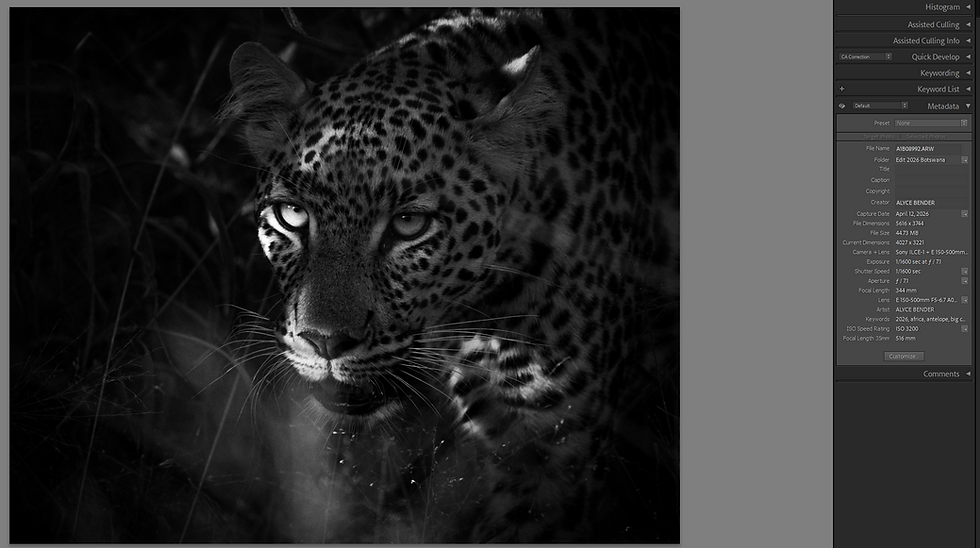
Cropping removes pixels. It does not redistribute the full resolution of the sensor into a smaller field of view.
If a photograph is cropped to half its original width and half its original height, only one-quarter of the original pixels remain. A 40-megapixel file becomes a 10-megapixel file—not a 20-megapixel one. This is why crop percentages can be misleading unless both dimensions are considered.
That does not make the result unusable. Ten well-recorded megapixels can be plenty for a website, social media, a digital article, or a modest print. A two-page spread, large wall print, or client needing several layouts may require much more.
I judge a crop according to its destination. A file that works beautifully in an online article may not be the file I would choose for a large exhibition print. The image has not changed, but the demands placed upon it have.
Pixels Cannot Replace Missing Detail
Remaining resolution is only part of the equation. Those pixels must contain useful subject detail. Focus, shutter speed, lens performance, subject distance, and atmospheric conditions all influence what was recorded. If the eye is slightly soft, feathers are blurred by movement, or heat shimmer has distorted the subject, a tighter crop only makes those weaknesses easier to see.
This is one of the most important limits of cropping wildlife photographs: enlarging the subject is not the same as revealing more detail. Sometimes a bird looks small only because it occupies a small portion of the frame. Other times it is simply too distant for the camera to record the feather detail we hoped to see. Cropping can solve the first problem. It cannot solve the second.


Noise Becomes More Visible
Cropping does not create noise, but it makes existing noise more visible because the remaining pixels must be displayed at a larger size. A clean, well-exposed file usually tolerates a stronger crop than one that was underexposed and brightened substantially in post-processing. When the subject is small in the frame, even fine noise can compete with delicate fur, scales, or feather patterns.
Noise reduction can help separate subject detail from grain, especially when applied carefully to the background and less aggressively to the animal. Too much, however, can replace natural texture with a smooth or waxy appearance. Sharpening should refine detail that is already present. It cannot restore detail lost to poor focus or movement.
Final Display Size Changes the Answer
How much cropping is acceptable depends heavily on where the image will be seen.
A photograph shared online is normally reduced to relatively small dimensions, where minor softness and noise may disappear. Small prints can be similarly forgiving. Large prints demand more, although a wall print is usually viewed from farther away than a book or magazine. Printing surface, subject matter, and viewing distance all affect how much fine detail is perceived.

This is why I prefer to evaluate the finished image at its intended output size rather than relying only on a 100-percent view. Zooming in is useful for inspecting focus and artifacts, but it does not replicate how most people will experience the photograph.
Can Software Enlargement Rescue a Heavy Crop?
Software enlargement can make a cropped file more usable, but it does not turn a distant, low-detail subject into a genuinely detailed capture.
Programs such as Adobe Lightroom and Camera Raw can increase pixel dimensions through Super Resolution, while other applications use AI-based models to upscale, reduce noise, sharpen edges, and reconstruct texture. These tools can help a smaller file meet print or delivery dimensions, especially when the crop is already sharp and contains recognizable detail.
The distinction is important: enlargement creates additional pixels; it does not recreate everything the sensor failed to record. Some generative tools may produce texture that looks plausible without being a faithful record of the animal. Fur and feathers are exactly where invented detail can appear convincing at first glance.
For personal artwork, the photographer can decide how far to take that process.
Documentary, editorial, scientific, and competition uses may be much stricter. Some competitions prohibit processes that add new image content, even when the result still appears photographic. Review the specific rules and retain the original RAW file.
When a Tighter Crop Improves the Photograph

A crop should do more than make the animal larger. It should strengthen the composition.
Cropping can remove distracting edges, improve balance, emphasize behavior, or create a more intimate portrait. It can also refine a frame captured slightly wide because the subject moved unpredictably.

Yet tighter is not automatically better. Removing too much space can crowd the direction of movement or the subject’s gaze. It can eliminate habitat that gives the photograph context, magnify technical flaws, or reduce a memorable encounter to a generic portrait. Sometimes the stronger wildlife photograph is the one that lets the animal remain small within a larger landscape.
I crop until the frame feels intentional—not simply until the subject looks big.
So, How Much Can You Really Crop?
You can crop as far as the remaining detail, resolution, and final use will support. That may be a slight adjustment to the edges or a substantial crop that still produces an excellent online image or small print.
The practical limit has been reached when the crop begins to call more attention to softness, noise, artifacts, or missing context than it does to the subject itself. At that point, additional enlargement is not giving the photograph more reach. It is only making its limitations larger.
Continue Reading the Reach Question Series
This article is Part 6 of The Reach Question, a series examining what “more reach” really means in wildlife photography. Explore the full series:
For a broader overview, read Do You Really Need More Reach? A Wildlife Photographer’s Guide to Lenses, Sensors, and Cropping.


Comments